 StoneUp

Build strength,
stone by stone.
StoneUp plans every session, guides every set and adapts as you get stronger, at the gym or at home.
A coach that does the thinking.
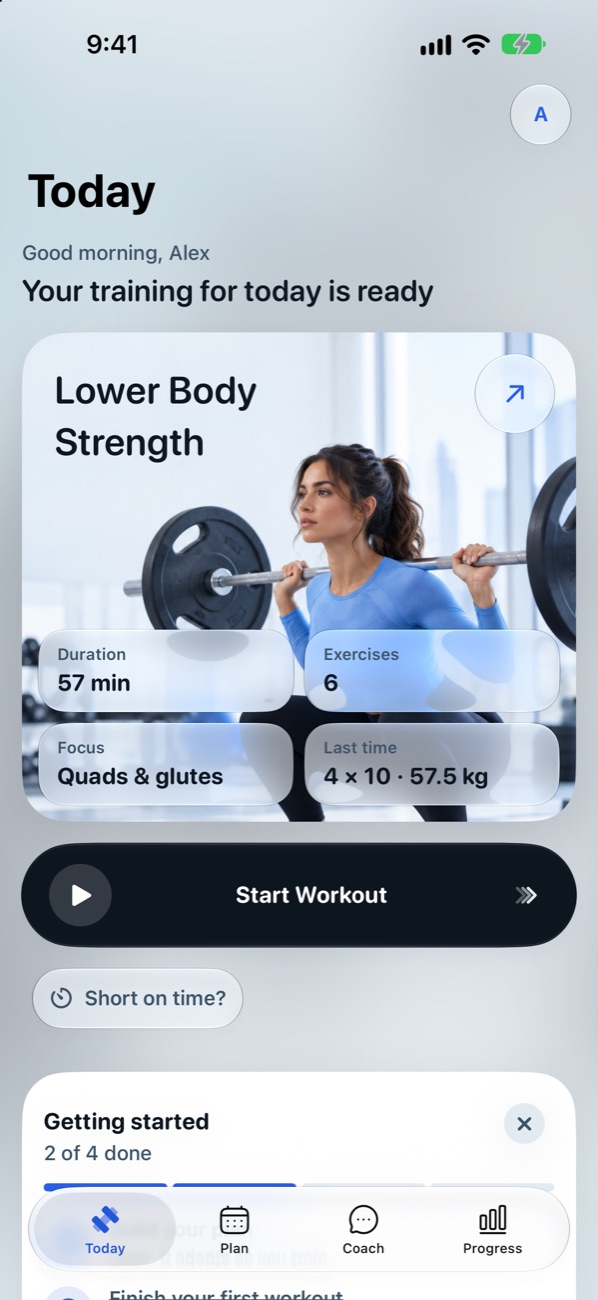
Answer a few one-tap questions. StoneUp builds your week, tells you what to lift today, and adjusts the weights after every session.
A plan in a minute
Upper, lower and full-body days built around your goal, your days and the equipment you have.
Weights that adapt
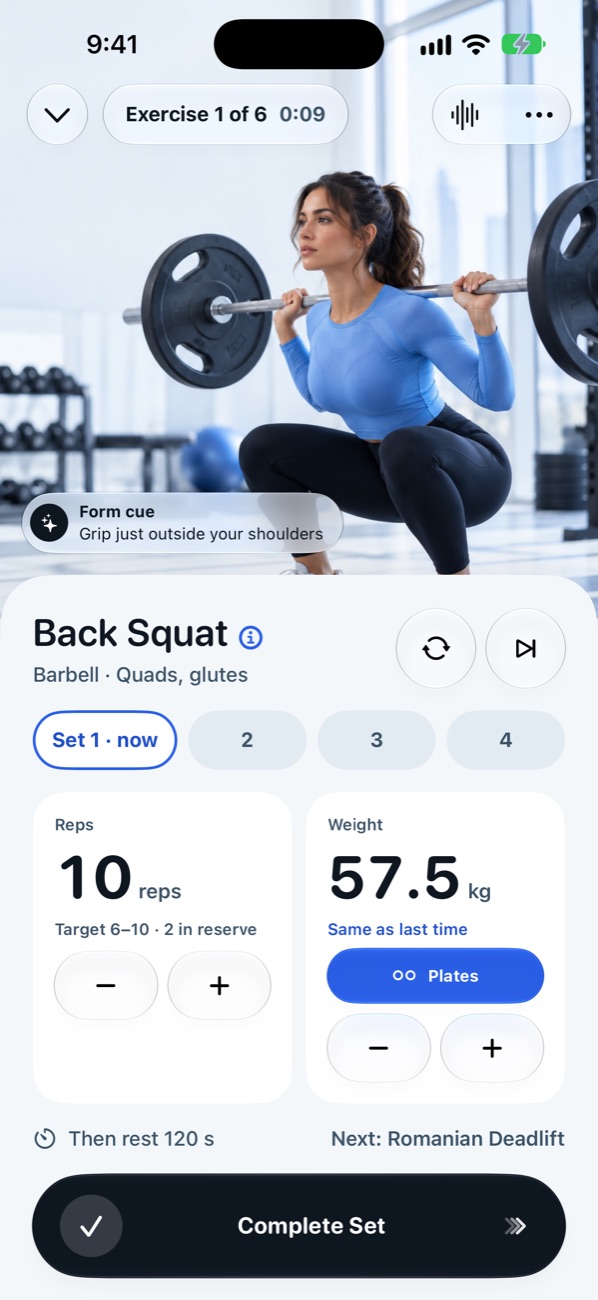
Hit the top of your rep range and the weight goes up next time. Had a hard day? It stays put.
Short on time?
Fit today into 20, 30 or 45 minutes with one tap, and get the full session back just as easily.
Talk, hands-free
Say "done", "skip rest" or "make it 135" mid-set. Speech is understood on your iPhone.
Plates, worked out
Starting-weight help, a plate calculator, kilograms or pounds, and guides for every exercise.
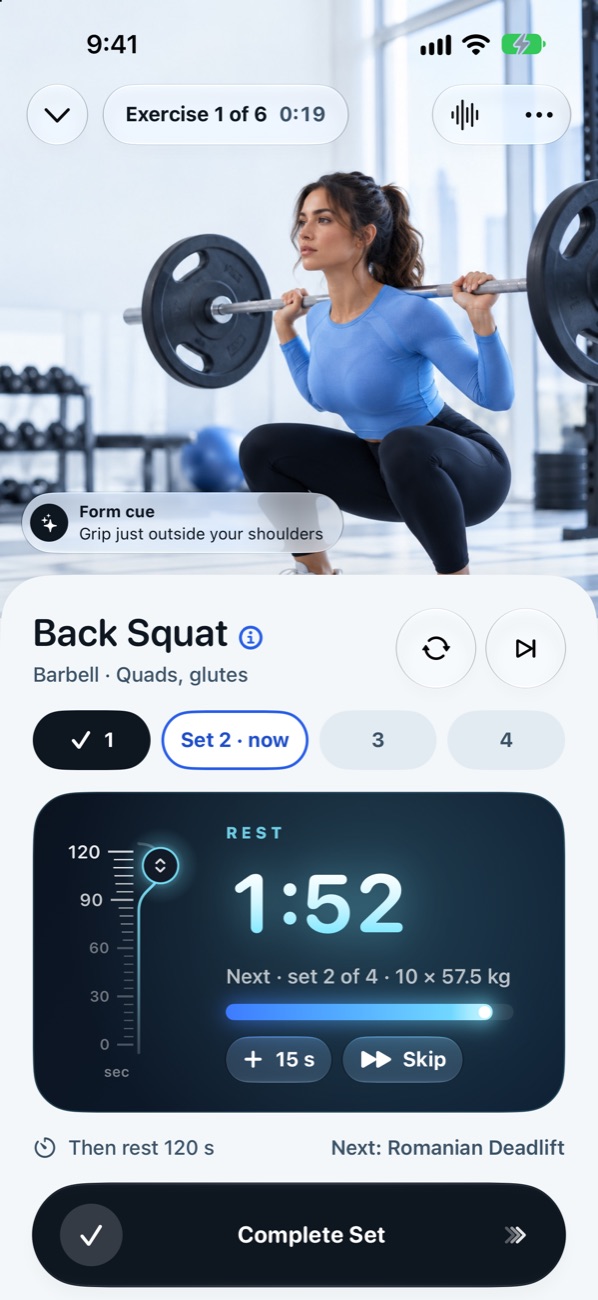
Rest on your Lock Screen
A Live Activity and Dynamic Island timer, a Home Screen widget, Siri, and optional reminders.
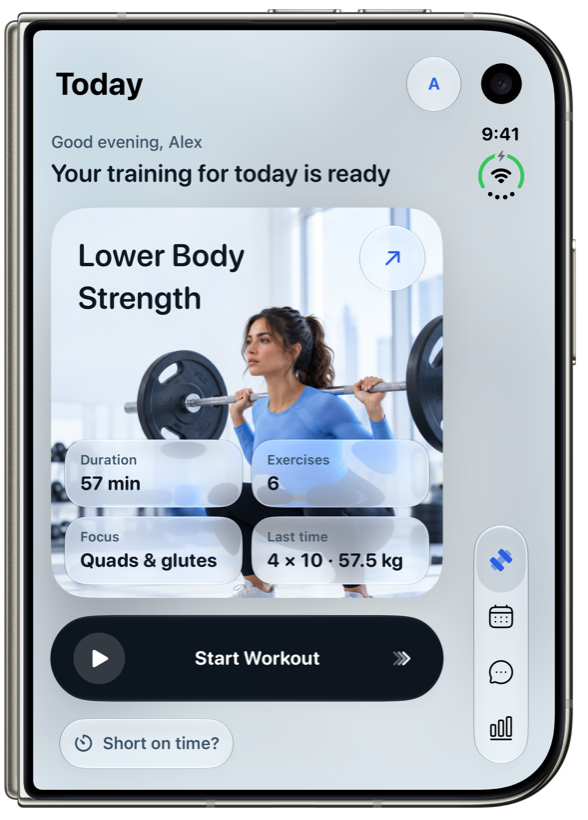
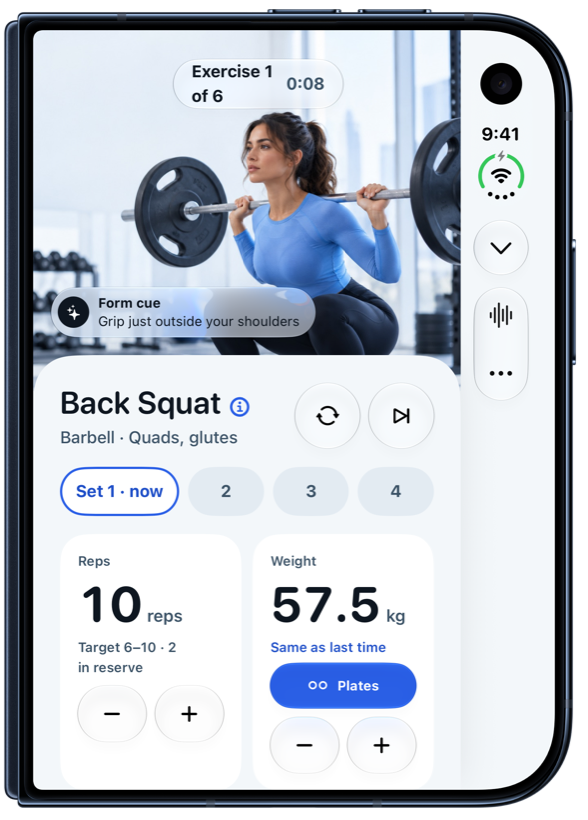
A new way to train,
not just a bigger screen.
-
Controls beside the status barTabs and workout controls move into the strip next to the status bar, so the screen goes to your training.
-
Unfold mid-set, nothing resetsOpen it to see the exercise on one half and big logging controls on the other.
-
Hands-free, half-foldedStand it on a bench: rest timer and current set large on top, big buttons below, voice for the rest.
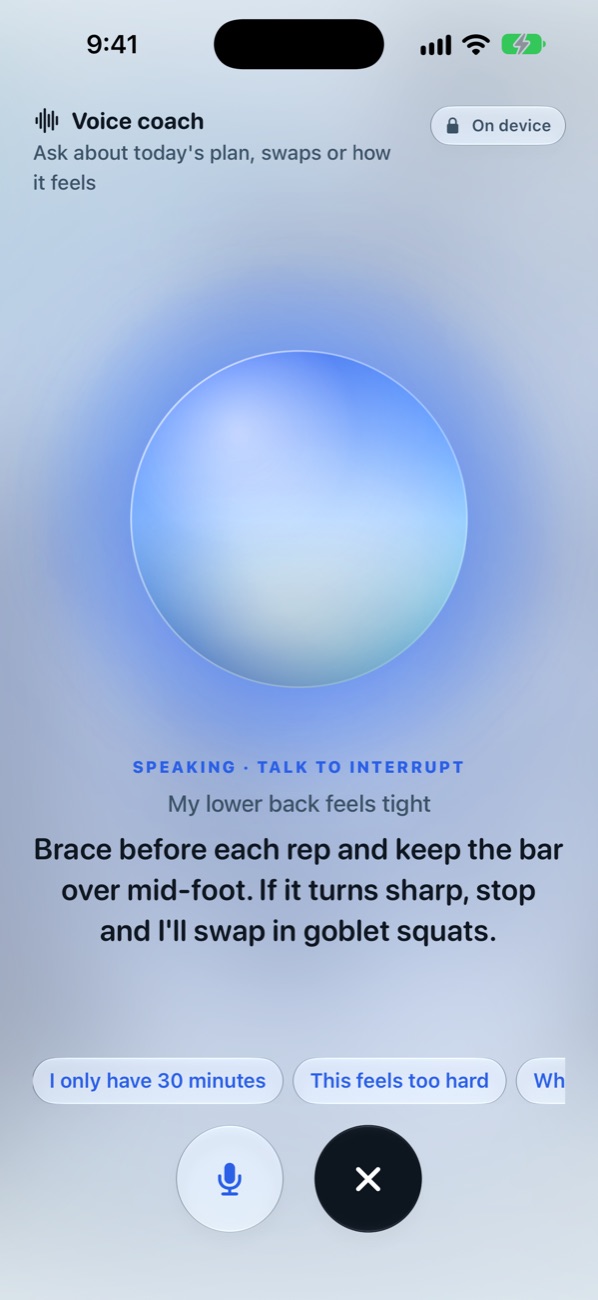
Your hands are busy.
Just talk.
Log a set, change the weight or ask what's next without touching your phone. Speech is turned into text on your iPhone and never recorded.
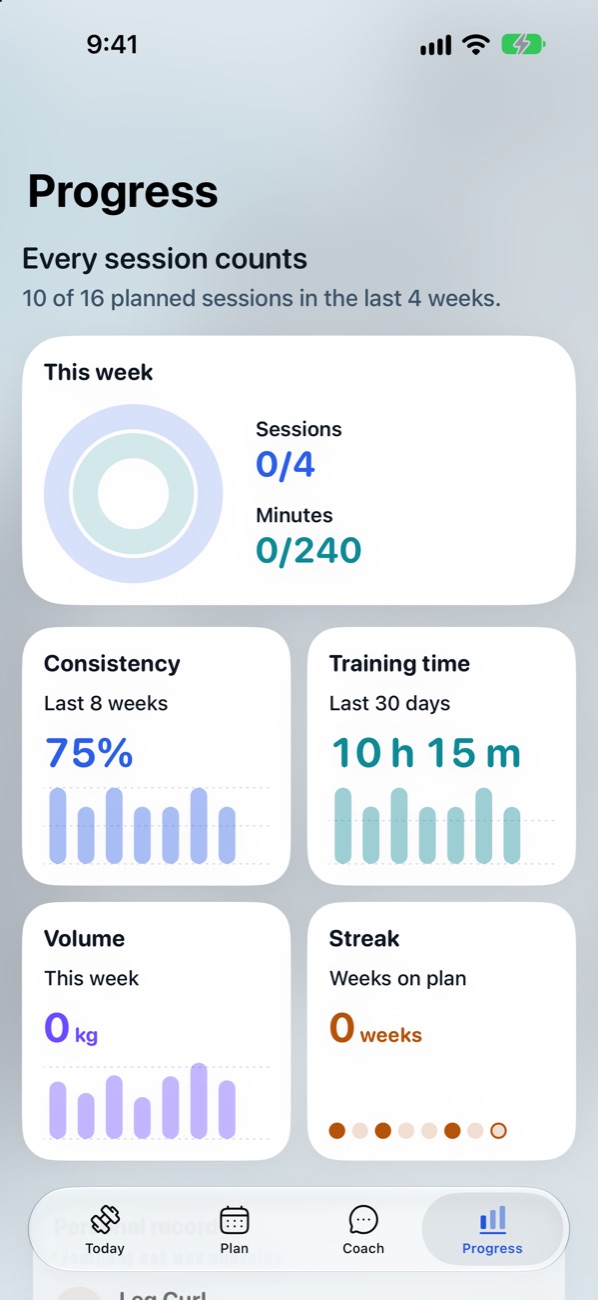
Watch your strength grow.
Weekly rings, consistency, training time, volume and personal records, with a moment to celebrate every new one.
Ask the coach anything in chat: swap an exercise when the station is taken, or make today easier.
Three workouts. One week. Your first stones.
Finish three sessions in launch week to complete the challenge in the app, and set your first records along the way.
No account. Data not collected.
Your plan, workouts and voice stay on your iPhone. There's no sign-up, no analytics and no ads.
- The coach runs on device with Apple Intelligence where available
- Speech recognition happens on your iPhone
- Apple Health only if you turn it on
- Delete everything from Settings at any time
Built to be accessible.
StoneUp is designed so everyone can complete every workout.
- VoiceOver labels on every control
- Larger Text, up to the largest accessibility sizes
- Dark Mode and Reduce Motion
- Status never shown by colour alone
Good to know
Is StoneUp free?
Yes. StoneUp is free, with no account, ads or in-app purchases at launch.
Do I need a gym?
No. Tell StoneUp what you have, from a full gym to a pair of dumbbells or just your bodyweight, and it builds the plan around it.
I'm a beginner. Is it for me?
Yes. Every exercise has a step-by-step guide and form cues, StoneUp helps you pick a safe starting weight, and progression is conservative.
Which iPhones does it work on?
iPhone with iOS 26 or later, and it's designed for iPhone Duo. The on-device coach uses Apple Intelligence where available; other iPhones get a built-in coach that works offline.
Kilograms or pounds?
Both. StoneUp picks the unit for your region, and you can switch in Settings. Plates and progression use clean numbers in either unit.
Does it work with Apple Health?
If you choose. StoneUp can save finished workouts to Apple Health so they count toward your Activity rings.
We're here to help.
Questions, feedback or a bug? Write to us; we usually reply within two working days.
In the app, Settings › Send feedback adds your app version automatically.